Case Study 02 — Production Infrastructure
DOT CAM: Live Traffic Camera Dashboard
Replaced antiquated VLC workflow with a browser-based live camera monitoring dashboard. Built in 4.5 hours of working time. Live in production. $18/month to run.
Try it live →Best experienced on desktop.
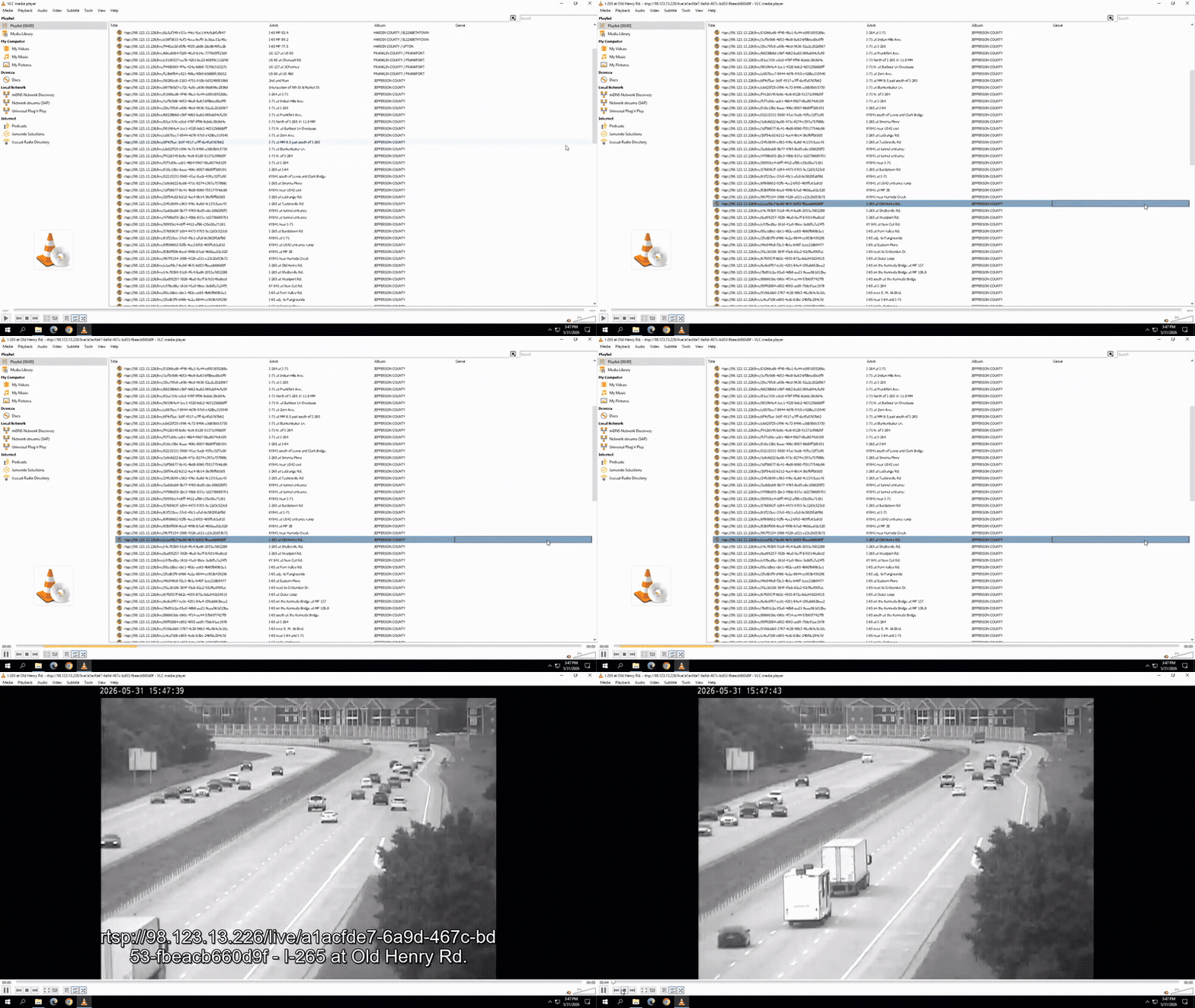
Spectrum News Louisville has access to a statewide network of more than 200 Kentucky DOT traffic cameras — but was accessing them through VLC Media Player using XSPF playlist files. The workflow created three significant operational problems in live production.
- No visual preview. Cameras were listed as raw UUID stream URLs. Producers had no way to see what any camera showed before selecting one for air. As one producer described it: "playing Russian roulette."
- Slow load times. Opening a camera in VLC took 10–15 seconds — operationally significant during breaking news when real-time decisions matter.
- No multi-camera workflow. VLC allowed producers to view only one camera at a time. Each camera required a full stop-and-restart cycle.
| Capability | VLC System | DOT CAM |
|---|---|---|
| Camera preview | None | Snapshot refresh grid |
| Load time | 10–15 seconds | ~1–2 seconds |
| Simultaneous cameras | 1 | Up to 5 (queued) |
| Visual organization | UUID list | Zone-filtered grid |
| Favorites | None | Persistent across sessions |
| Multi-camera transitions | Manual restart | Seamless slide transition |
| Access method | Desktop application | Browser bookmark |
"The gap between 'identifying a problem' and 'shipping a solution' has never been smaller for people willing to engage seriously with AI as a development partner."
DOT CAM was built by an Executive Producer with no formal software engineering background, during normal working hours, in between editorial responsibilities. The limiting factor was not technical knowledge — it was the ability to define problems precisely, evaluate outputs critically, and iterate with editorial judgment.
The build took 4.5 hours. The tool is live. It costs $18 a month. That ratio — problem identified to solution shipped — is what changes when domain experts engage seriously with AI as a development partner rather than a search engine.
- Created timelapse capability for 2 cameras during I-65 construction project
- Fixed stale stream on first open — clears cached HLS segments before starting new stream
- Updated camera list from KYTC — replaced and added new cameras (210 → 244)
- Created 65 construction tab ahead of major road project
- Fixed tile reset when adding cameras to favorites or queue
- Single ESC now returns to grid (previously required two keypresses)
- Server upgraded to 2 shared vCPU
- Added 20-minute idle stream cleanup to prevent FFmpeg process accumulation
- Fixed queue transitions: dual z-index stack eliminates black flash between cameras
- Live camera grid with 210 cameras across four zones (Louisville, Lexington, NKY, Bowling Green)
- Star favorites — persist across sessions
- Queue mode — add up to 5 cameras, cycle with arrow keys in fullscreen